Overview
Video management platform to unify behavioral research videos and their metadata, cutting the trust gap that was quietly invalidating studies.
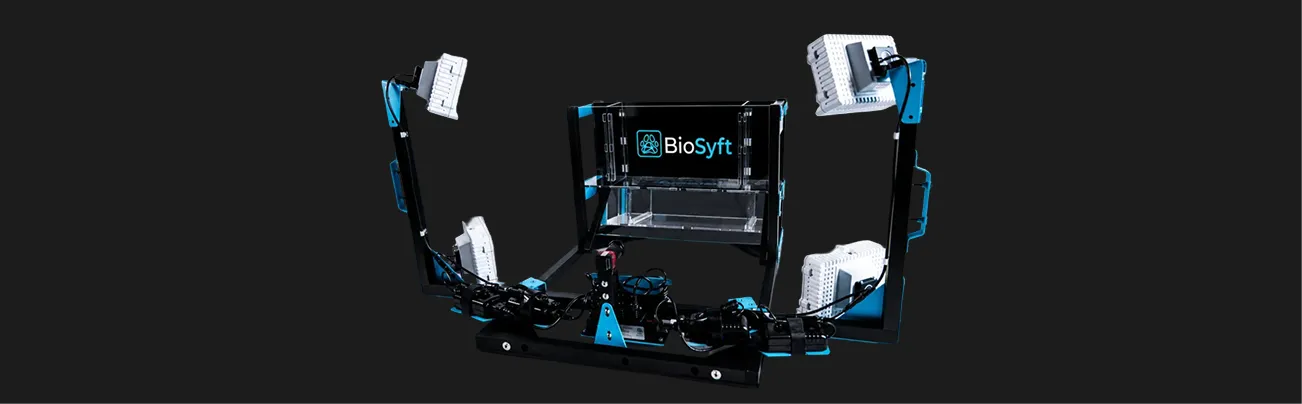
BioSyft builds an AI-powered platform and behavioral testing chamber for preclinical drug research. It digitizes animal subjects during studies to reduce the variability of manual behavioral assessment across labs.
Impact
100%
adoption across 11 research labs nationwide.
70%
faster delivery to GTM by using AI prototyping.
- Contribution
- 0 > 1, Research, IA, interaction design, design system, prototyping, handoff
- Collaboration
- CEO (1), CTO (1), engineering team
- Tools
- Figma, Claude Code, FigJam
- Client
- BioSyft
- Notes
- This is a limited case study. Please contact me for more details.
Business problem
Earning lab trust through AI-accelerated development.
BioSyft needed research labs to trust and adopt the platform to prove product-market fit, but there was no existing product, design team, or precedent to build from. AI-assisted prototyping and a generated design system let me move from blank slate to shipped screens fast enough to keep pace with the business’s timeline.
User problem
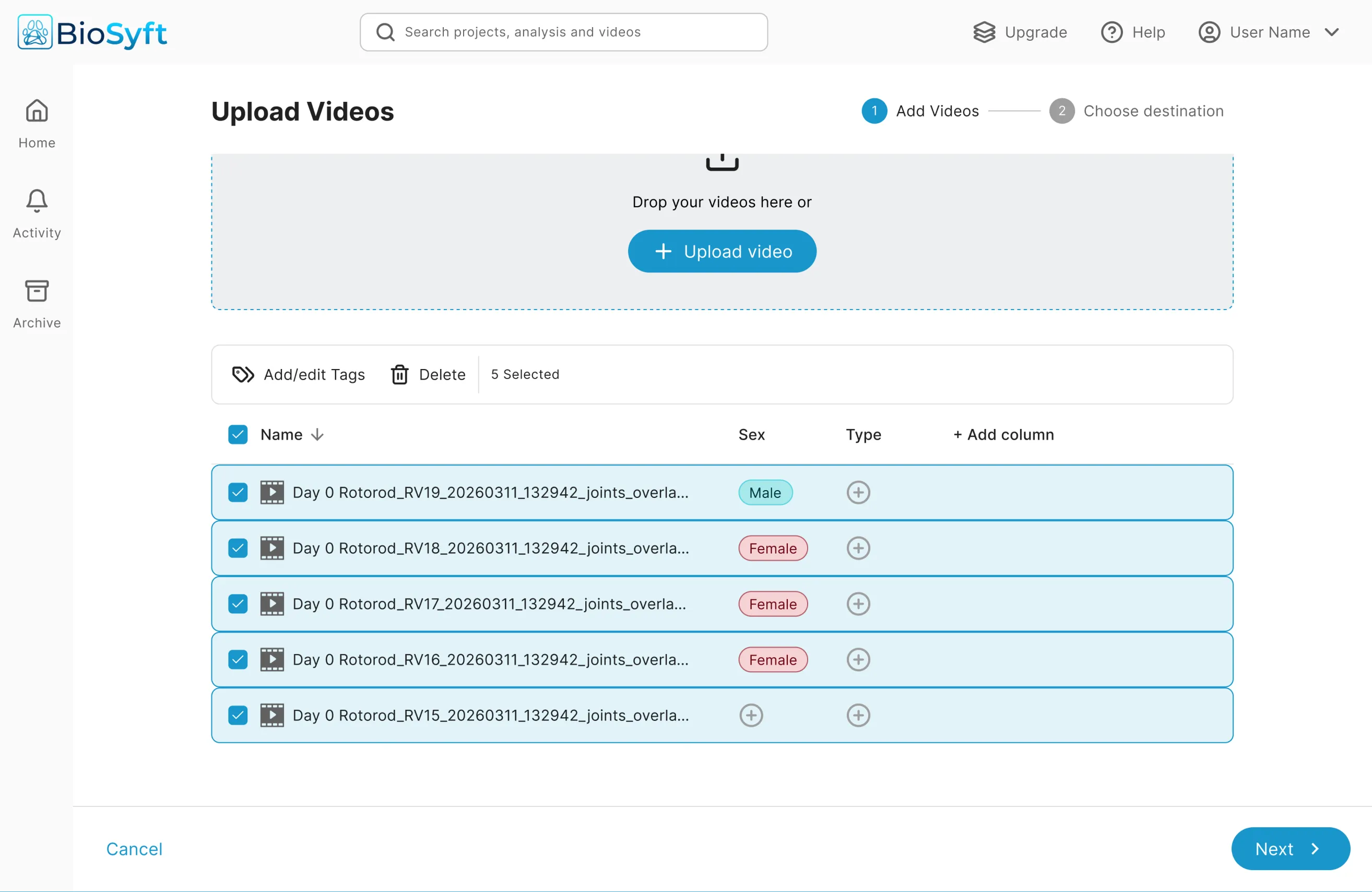
Videos in one place. Tags in a spreadsheet somewhere else.
Through watching technicians’ behaviors, I found that trust, not features, was the real barrier. They second-guessed whether videos had actually uploaded, clicked into folders just to confirm nothing was missing, and kept a personal record on the side because they didn’t trust the system to reflect reality on its own.
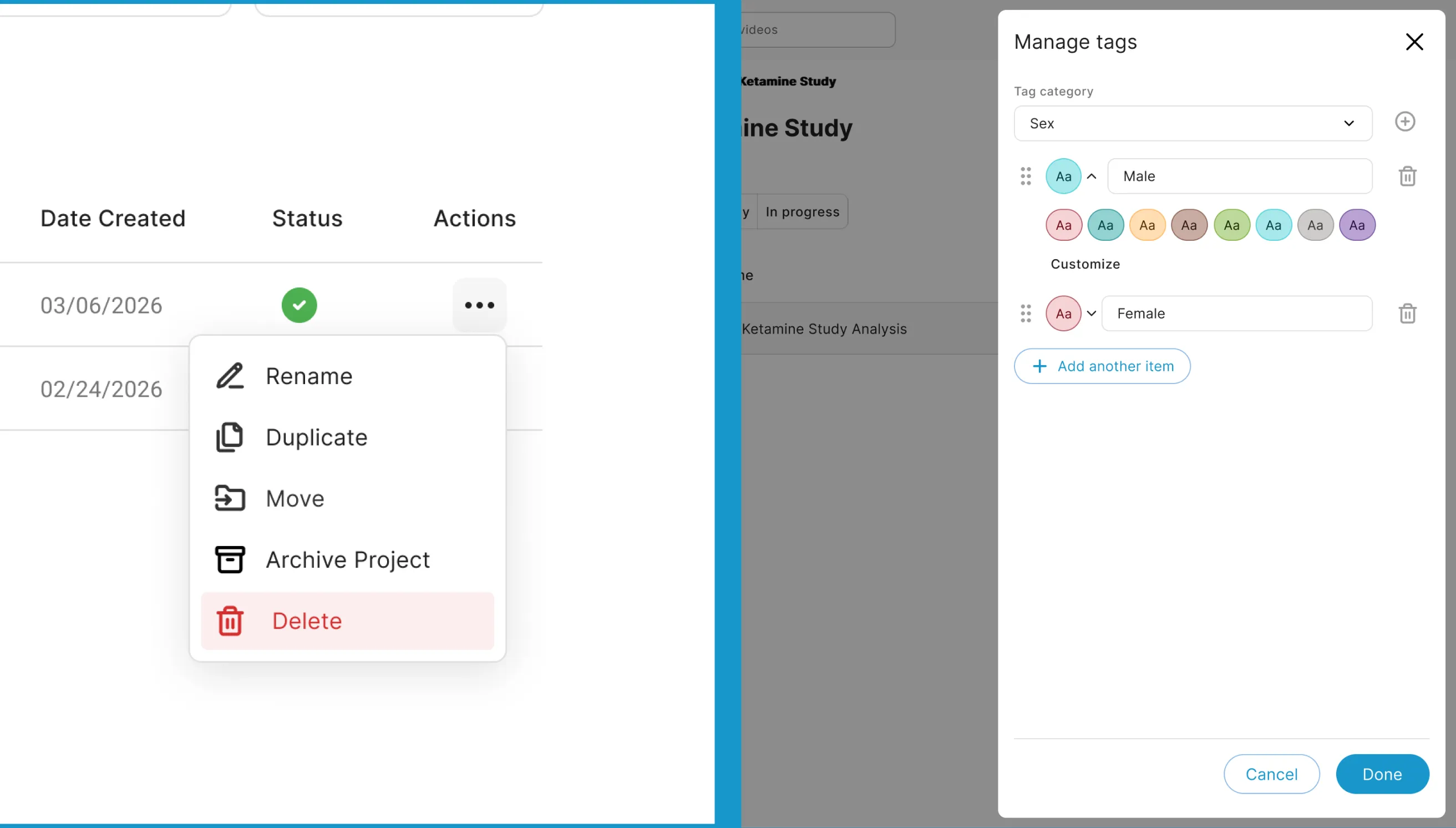
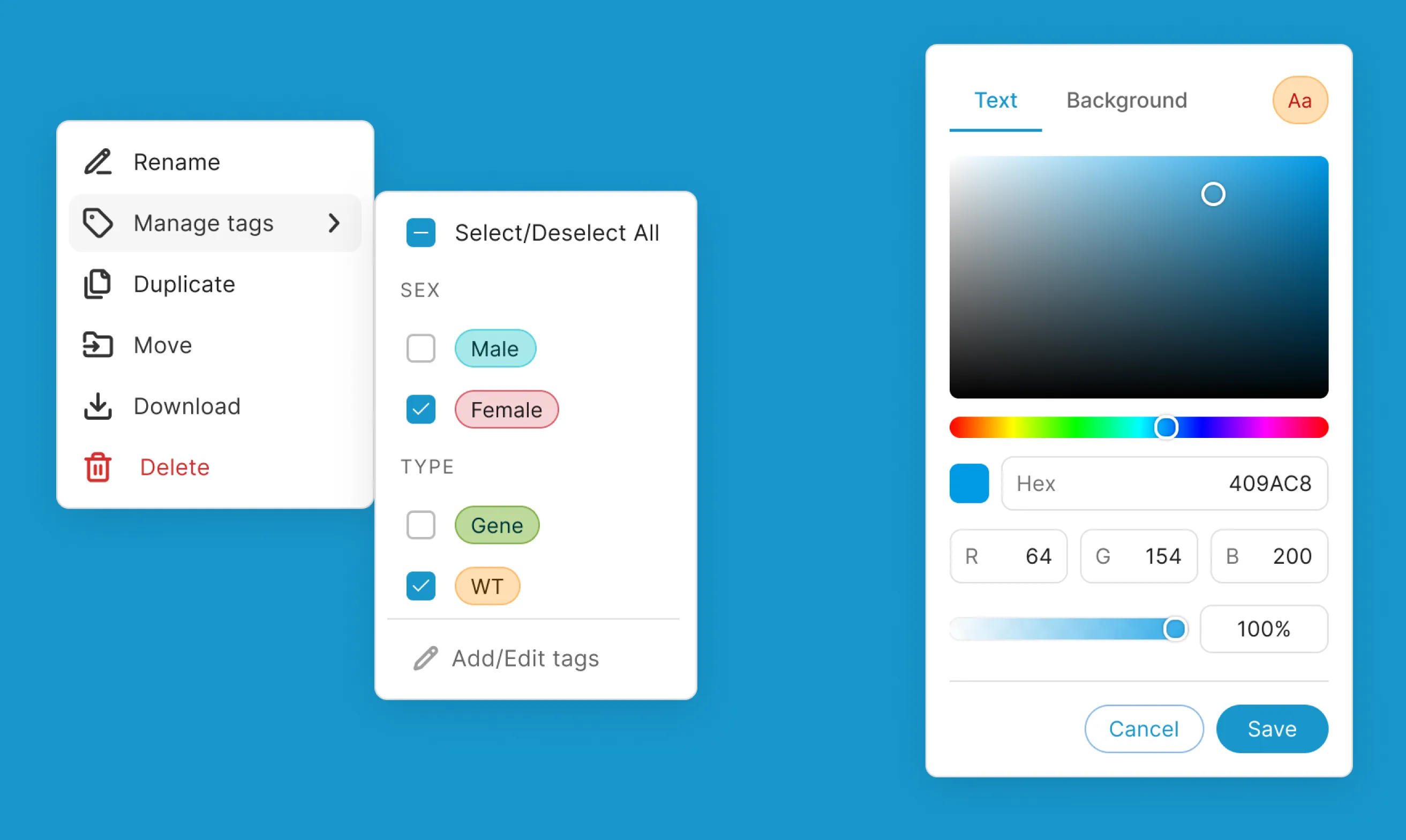
Every video carries metadata that defines the experiment: sex, genotype, experimental condition, day, and more. That metadata was tagged by hand in a separate file, disconnected from the footage it described, a folder named “trial_04_final_v2” and a spreadsheet that supposedly mapped to it.
Design decisions
Leading with AI-forward design to maintain velocity.
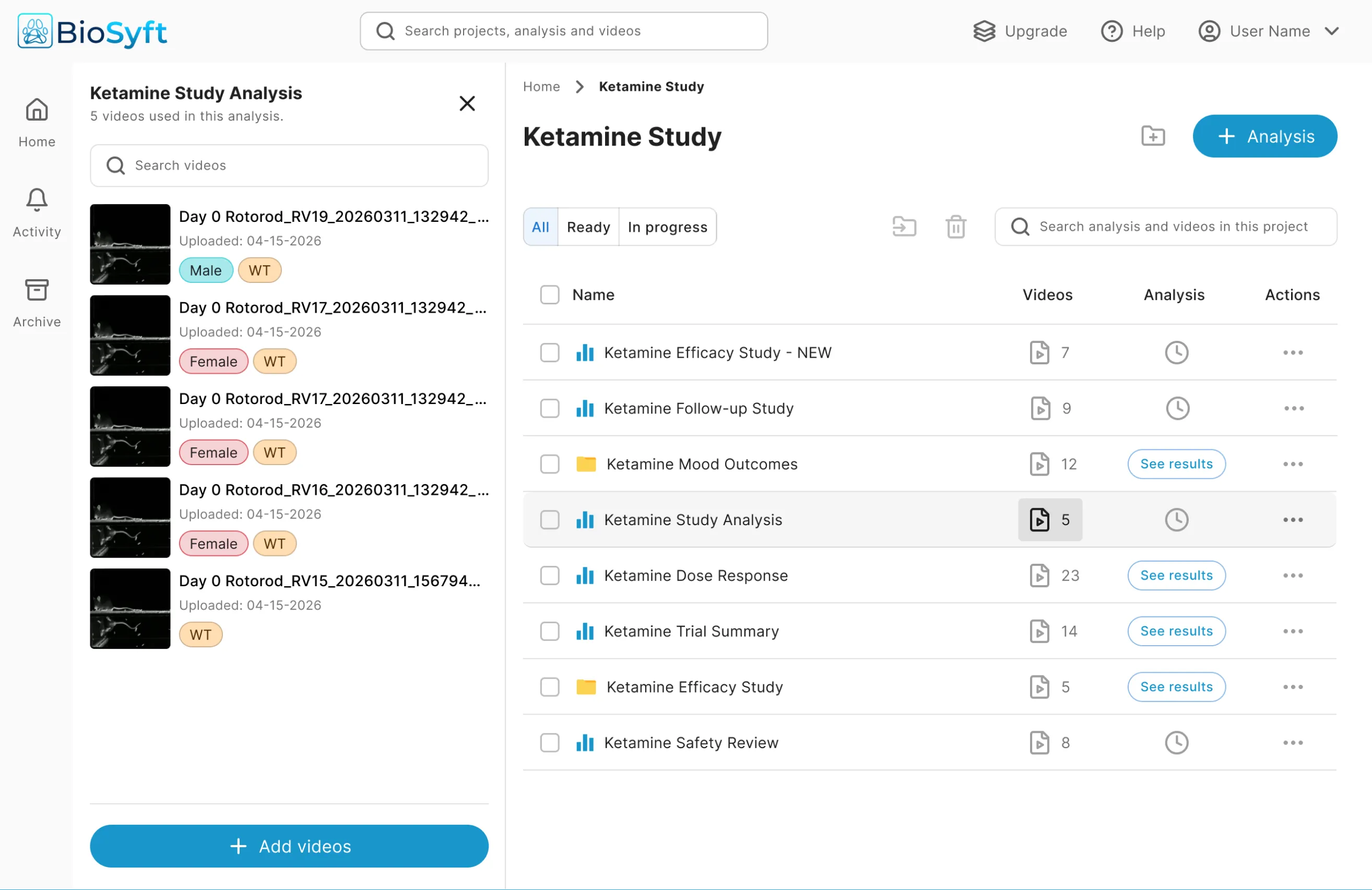
There was no spec, no design team, and no precedent inside the company. So I built a customer story to ground the flow: a lab technician running a multi-day study needs an organized way to see experiments and the videos behind them, so they can trust results without keeping a parallel record of their own.
Iterating on the interactions
After testing the first version with real users, I explored other directions to address the issues users kept bringing up during the usability session. Here are select few of them:
- Worked:Easy fix for engineering.
- Did not work:Extra step to see the video details.
- Did not work:Hard to manage videos in large scale.
- Worked:Familiar workflow setup.
- Did not work:A wrong click will jump one tab to another.
- Did not work:Too much empty-state when a video is not linked to an analysis.
- Worked:Familiar workflow setup.
- Worked:Easy to understand video cards.
- Did not work:Unnecessary extra step to see related analysis.
Challenges
Designing for inconsistency, on a grant timeline.
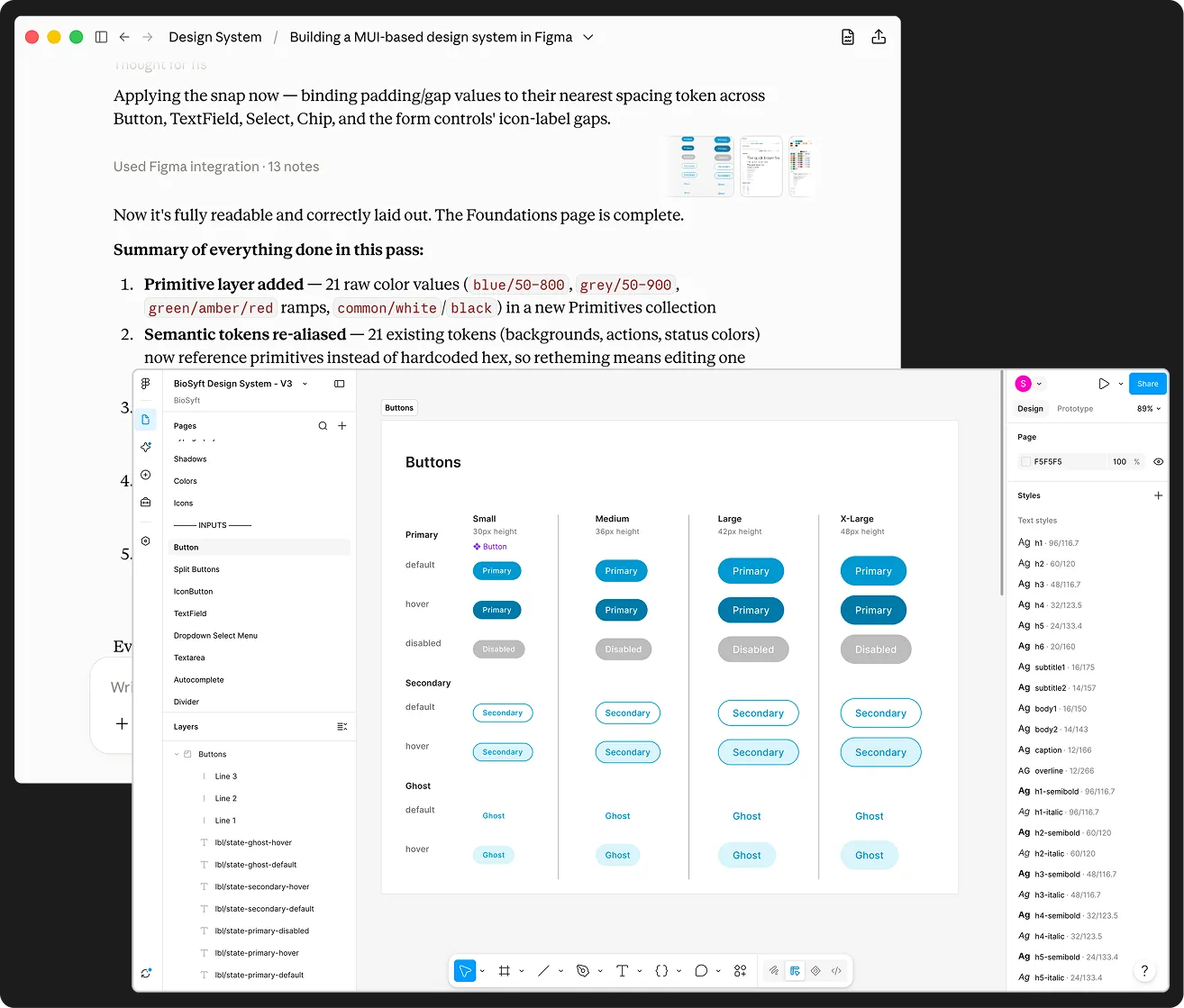
I used Figma MCP and Claude to generate one from just two brand colors, then applied it to build shipped screens. Every structural decision had to hold up against real edge cases engineering surfaced, like a video feeding two analyses or getting retagged after its analysis had already run. Every technician organized their files differently. The IA couldn’t assume one “correct” folder structure, it had to work regardless of how a given lab already organized itself.
Solution
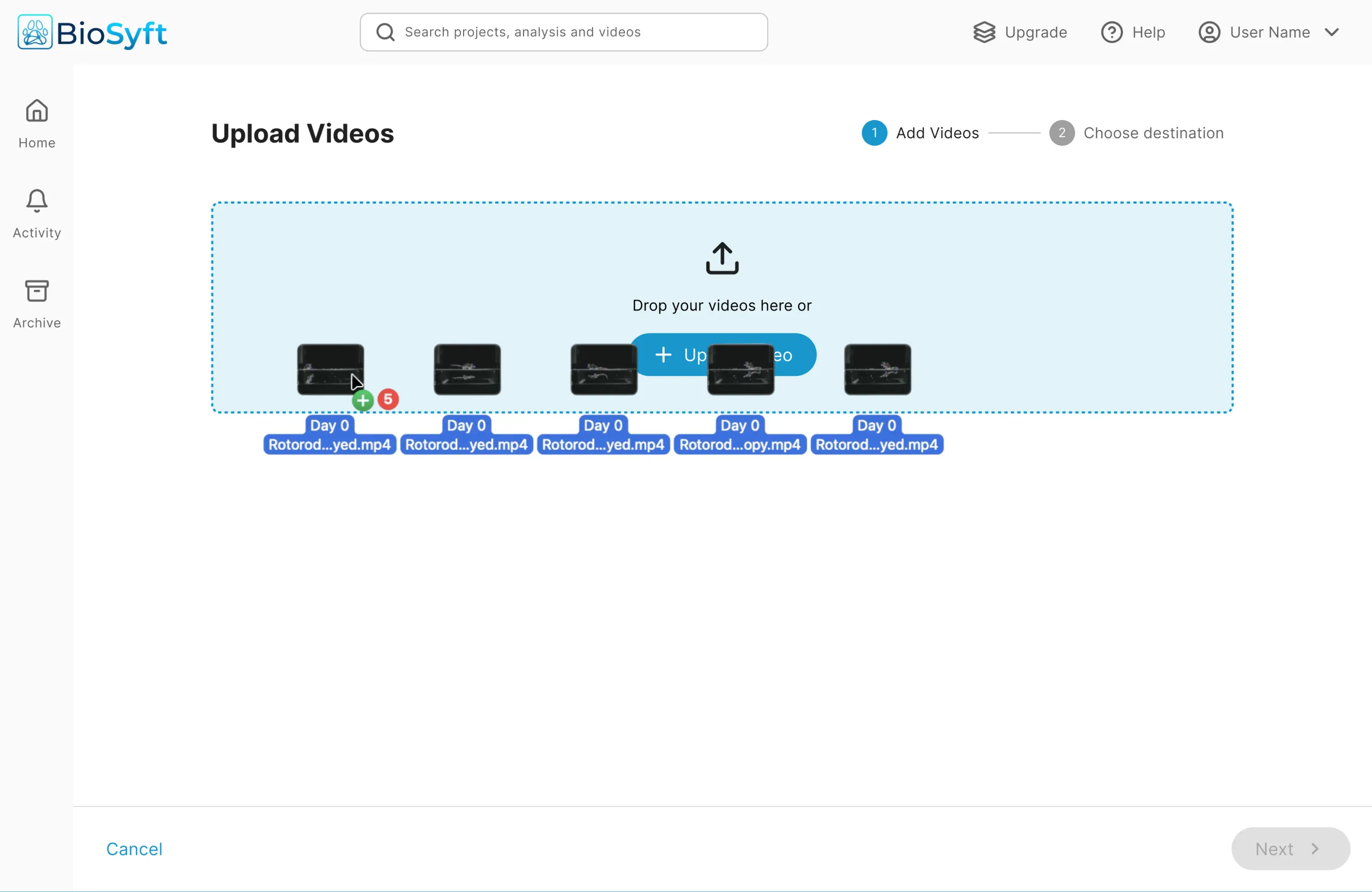
Streamlined video tagging and file management system for lab technicians.
Reflection
Read between the lines while user testing.
When I asked technicians whether the information architecture made sense, they said yes. But they kept asking which videos fed which analysis. I learned to weigh what people do over what they report, and that gap is what redirected the design.
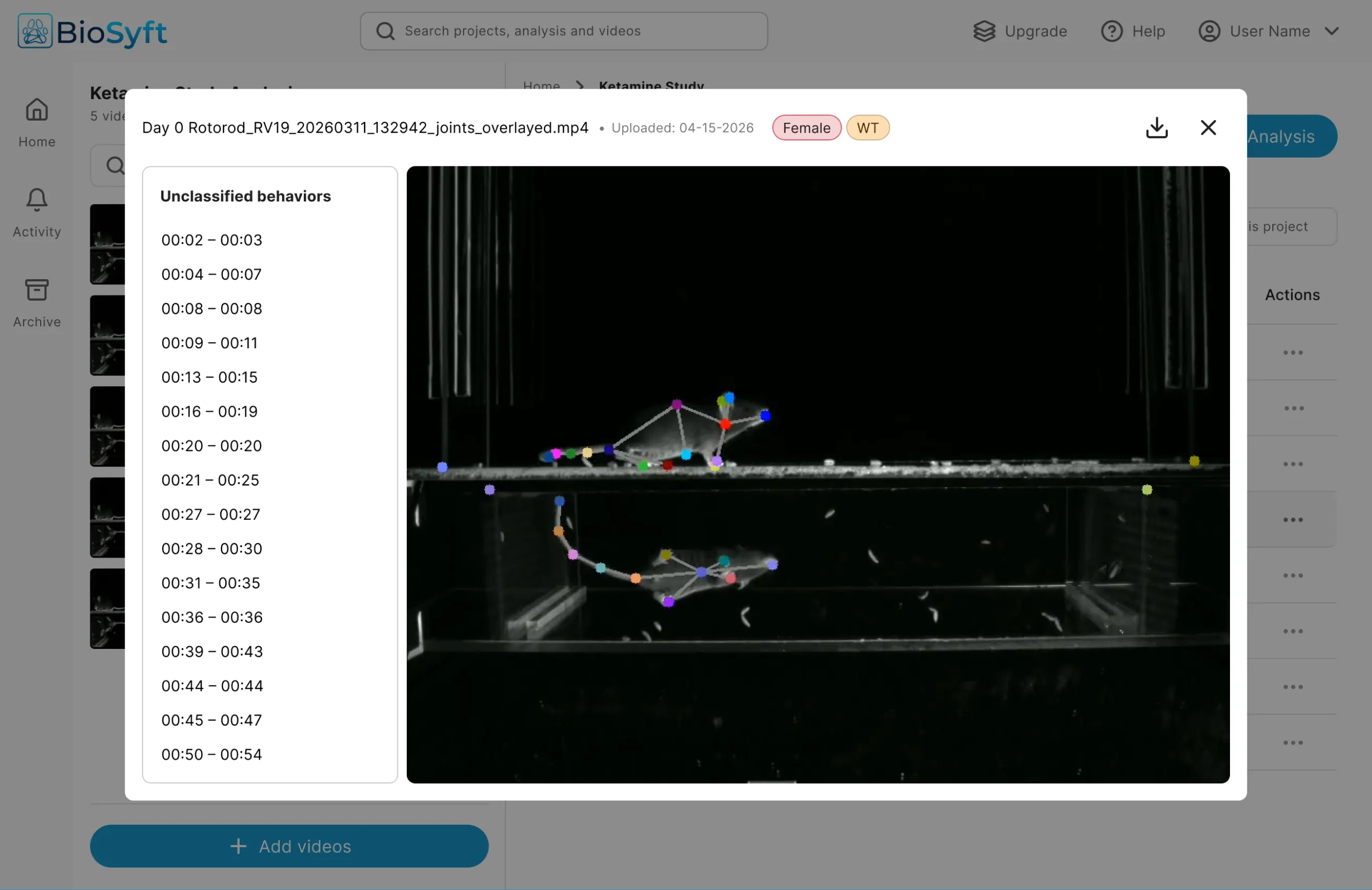
Build trust in AI by giving users control.
The model classified some behaviors as “other,” and a confident-looking label on an uncertain result is worse than no label. I made the raw video accessible alongside every analysis so researchers could verify the animal’s behavior themselves. Trust in an AI output comes from being able to check it, not from being told to believe it.